

The Design Philosophy Behind Our AI Products
by Yuva, Founder & CTO
In the age of AI, the interface is constantly evolving, as it is relatively easier to do rapid prototyping. More interesting than that, the interface is converging. Most of the LLM chat apps took their cues from WhatsApp, Telegram, and Signal, and converged toward the chat interface. And over time, roughly since late 2024, that chat interface has grown up. It now gives you rich interactivity and real-time updates.
This blog outlines three major design patterns that I believe will drive UI patterns in the near future. A lot of thinking went into them, much of it from watching the kind of plugins OpenAI and Anthropic are building. Most of our apps can take inspiration from these interfaces and greatly simplify how the UI should look and feel.
I want to walk you through these design patterns and how they shape the way our products look and feel. We build two of them.
Gather AI is for running a software team. The standups, the projects, the sprints, the meetings, the retros, and an assistant that sits across all of it.
Zuko is a CRM. Contacts, companies, deals, campaigns, and the same kind of assistant working on them.
One runs the delivery, the other runs the selling. They share no code. These are the patterns we leaned on, and they shape every screen you'll interact with in both.
1. The Chat Interface
Right after WhatsApp on the desktop became famous and WhatsApp started supporting APIs, teams started building on top of it.
One of the first problems they solved was customer support. A whole generation of customer-support tools took the same shape: a list of conversations on the left, the active conversation in the main pane. You've used it a hundred times even if you've never thought about it.
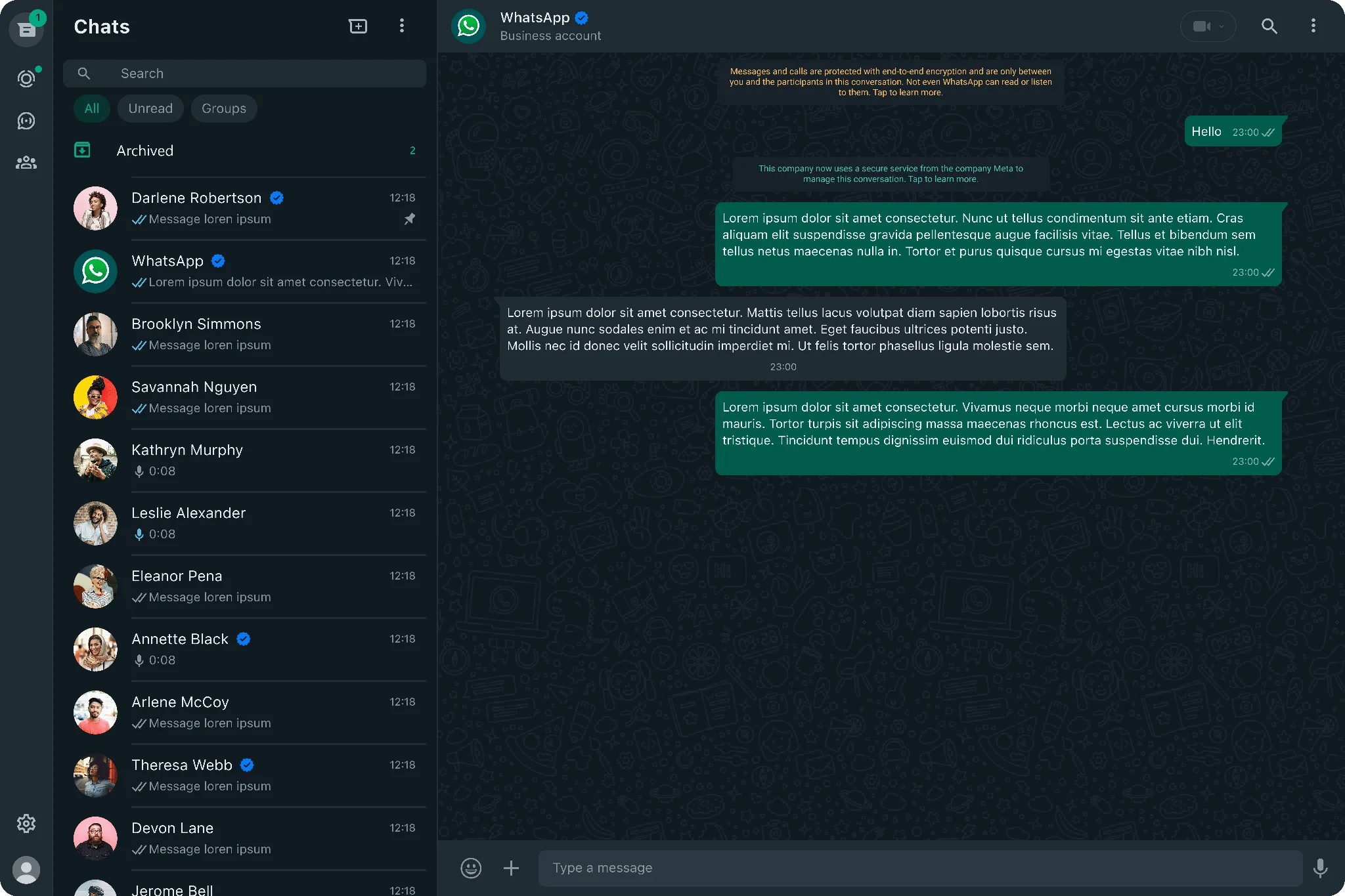
ChatGPT and Claude built their agent interfaces on the very same pattern, and they look almost identical. I mean, you know it.
This is the pattern worth following: the moment you log in, you should land on a chat interface, and that chat should already know everything about the application you're using.
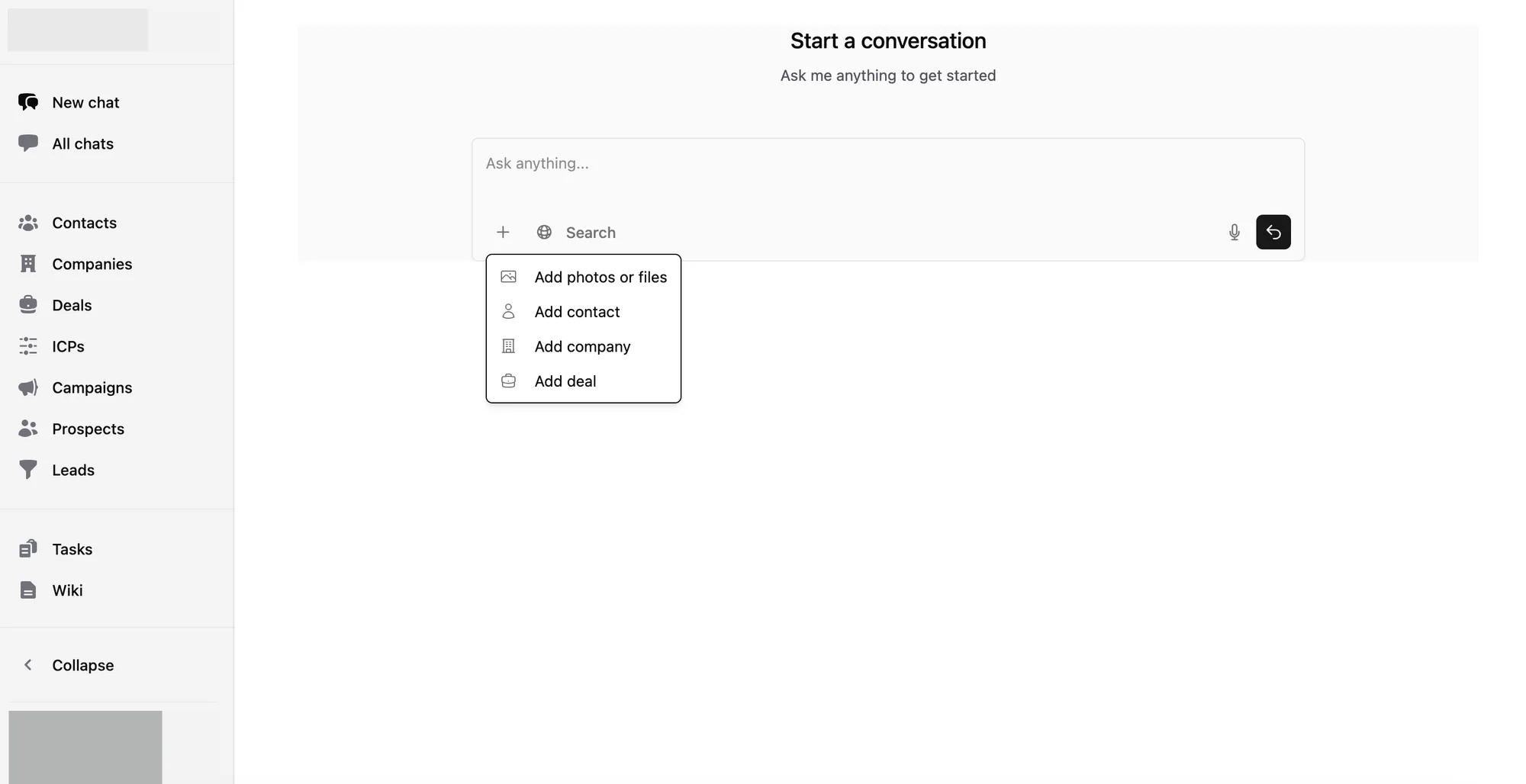
In Zuko, that's exactly what you get. When you open the app, the AI chat already has context on your contacts, your companies and your deals. You can simply ask.
ChatGPT then did something beautiful. They introduced commands that let you pull in data from third-party services like Asana, your coding tools, and so on.
Third-party integrations are a no-brainer on their own, but the beauty is in how the chat interface uses them. That little "+" icon in ChatGPT is quietly powerful.
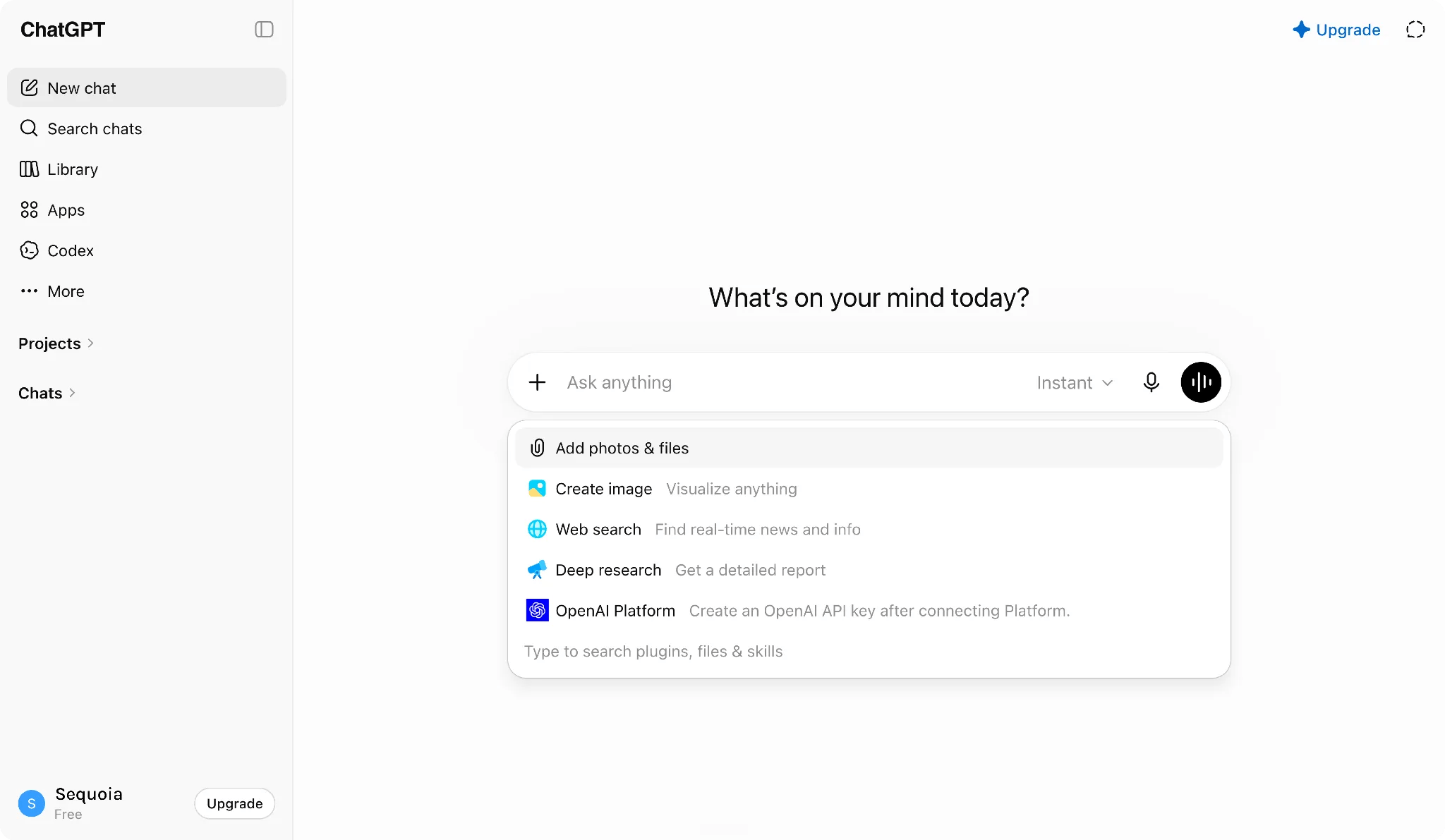
Here's why it matters. When you add a service through "+", the conversation gets scoped to it. I can add "Google Drive" and ask ChatGPT to search my files there, and suddenly the answer is sharper because it knows where to look.
The same idea runs through Zuko. A contact, a company, a deal, each one is available the moment you click "+".
You scope the chat to what you actually care about, and you get far better results. And it isn't only inside the app: tag @Gather in Slack, or say "Hey Gather" in a Google Meet, and the same context-aware assistant answers you there too.
2. Excel Sheets / Google Sheets
Let's admit it: the world runs on spreadsheets. There's a famous saying: most of the SaaS apps are born out of Excel sheets. While SaaS companies do all the innovations to make the UI look easier and similar, the cognitive load of learning how to use SaaS tools is still pretty high.
In comparison, using an Excel sheet is quite simple. Click a button, and you have a sheet where you can define your own columns and start entering data. There is/was/will never be a simpler interface for data entry.
Both OpenAI and Anthropic developed tools for developers to make coding easy. They didn't focus on other domains, such as healthcare, education, finance, or sales, because those domains are much harder to crack at the scale they operate.
However, they do provide plugins for Excel. For example, Claude for Excel is a pretty famous plugin. It enhances Excel sheets, and helps with two important things:
- accelerating the data entry tasks, and
- quickly making sense of data.
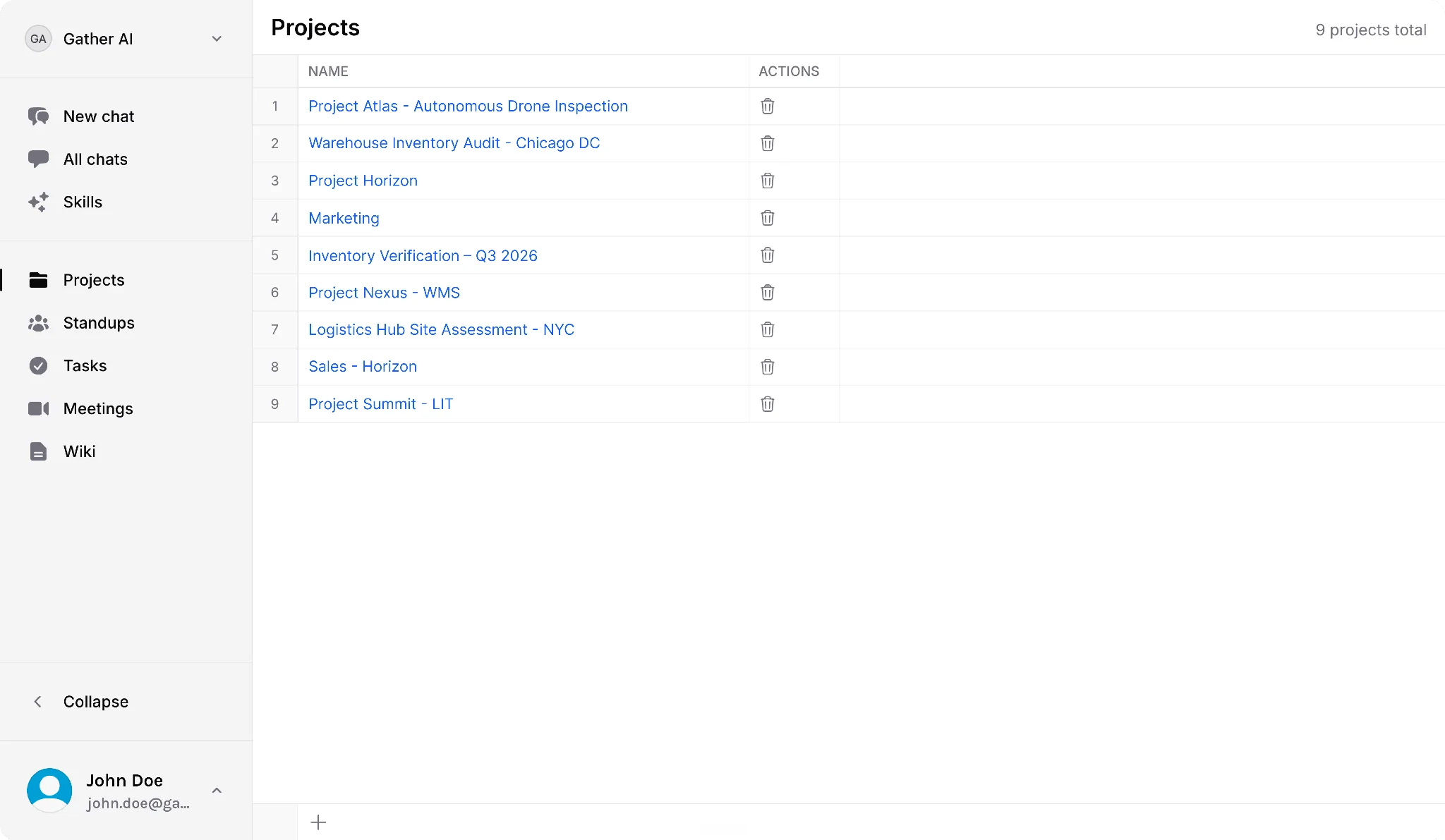
So in Gather, every listing page is a spreadsheet. Projects, tasks, meetings, standups, sprints, they all live in a clean, tabular layout with labeled columns, where each row is one item. It's deliberately minimal and it behaves the way you'd expect a sheet to behave; there's even a "+" at the bottom of every list to add a new row inline. It's a surface you already know how to use, and one the AI can build on top of.
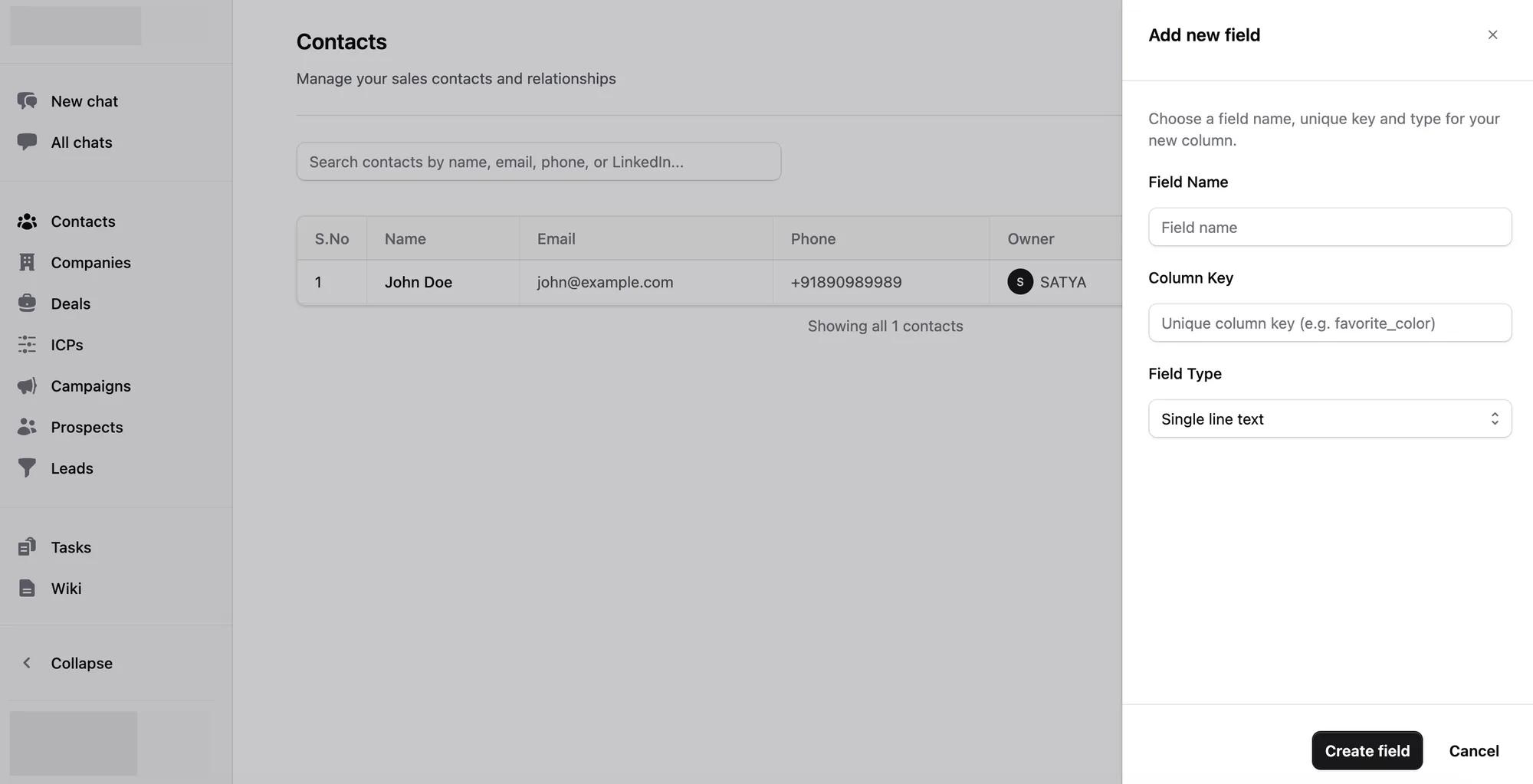
Zuko went further than we did here. You can add your own columns to contacts or deals: pick a name, a key, a type, and the column is there for everyone. That's the Excel idea taken literally, and it's the thing I'd steal back into Gather.
3. Pages
LLMs → Large Language Models. They understand text. And the more relevant, non-garbage text you give them, the better the results you get back. Right now, ChatGPT and Claude don't provide an interface for building our own knowledge base that understands our domain models well. (Maybe in the future, they will solve this problem as well.)
Notion understood this better than anyone. It excels at writing. You create a page for a project, write whatever you want about it, attach documents, link sub-tasks, add collaborators, and over time that page becomes the project's memory.
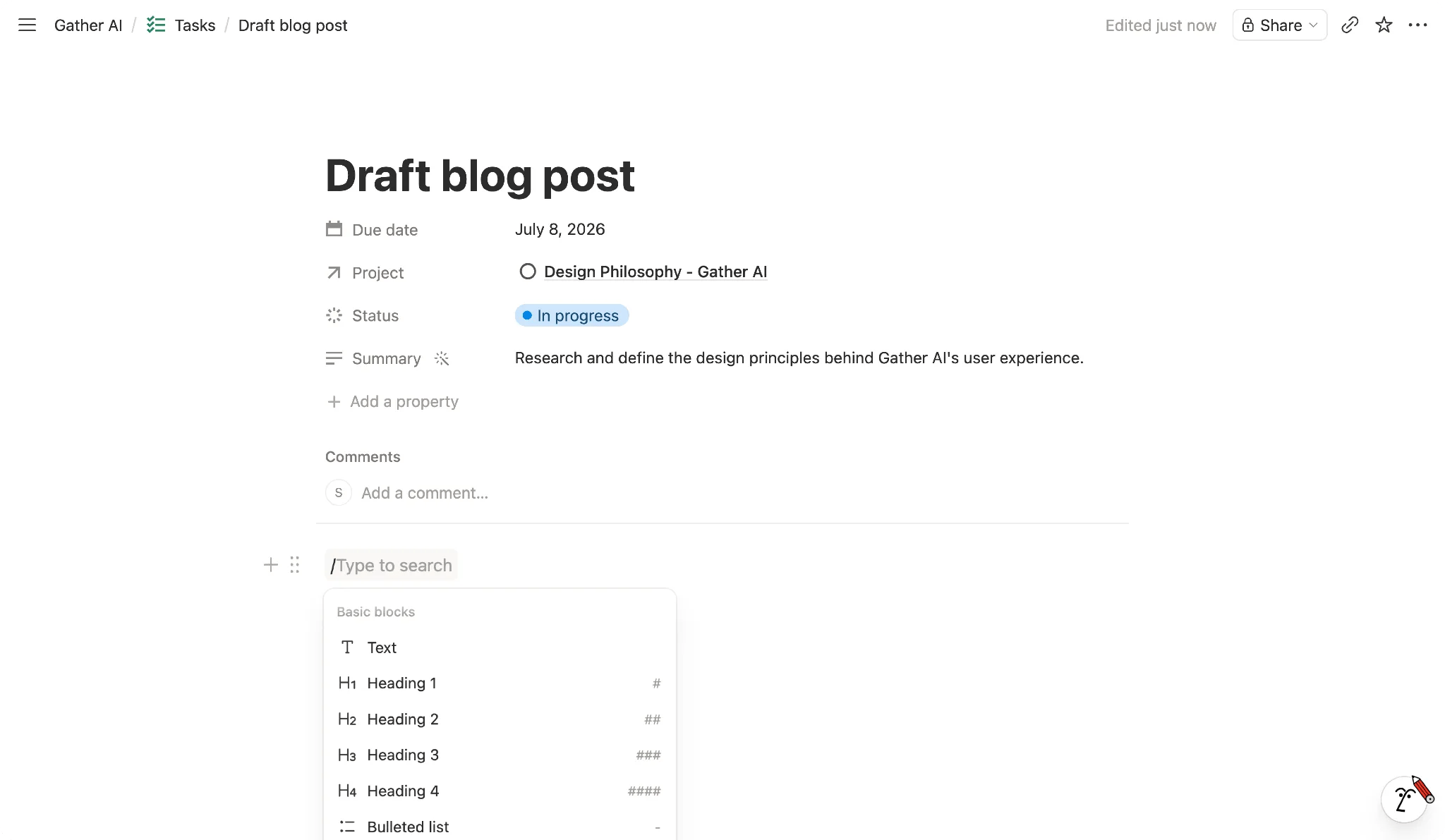
Taking inspiration from Notion, I believe every entity deserves a page of its own.
There's a simple pattern underneath that fits almost everything. A page should have:
- Header → the title and all the fields that matter for that item (status, assignee, dates, priority, and so on).
- AI Summary → optional, but a lovely thing to have: a quick, generated read on what this item is.
- Details → a rich-text editor for the body. You can talk to it, and the assistant can help pre-populate it, and just as importantly, the assistant can read it later.
- Comments → where the discussion around the work happens.
- Activity → the log that makes collaboration legible.
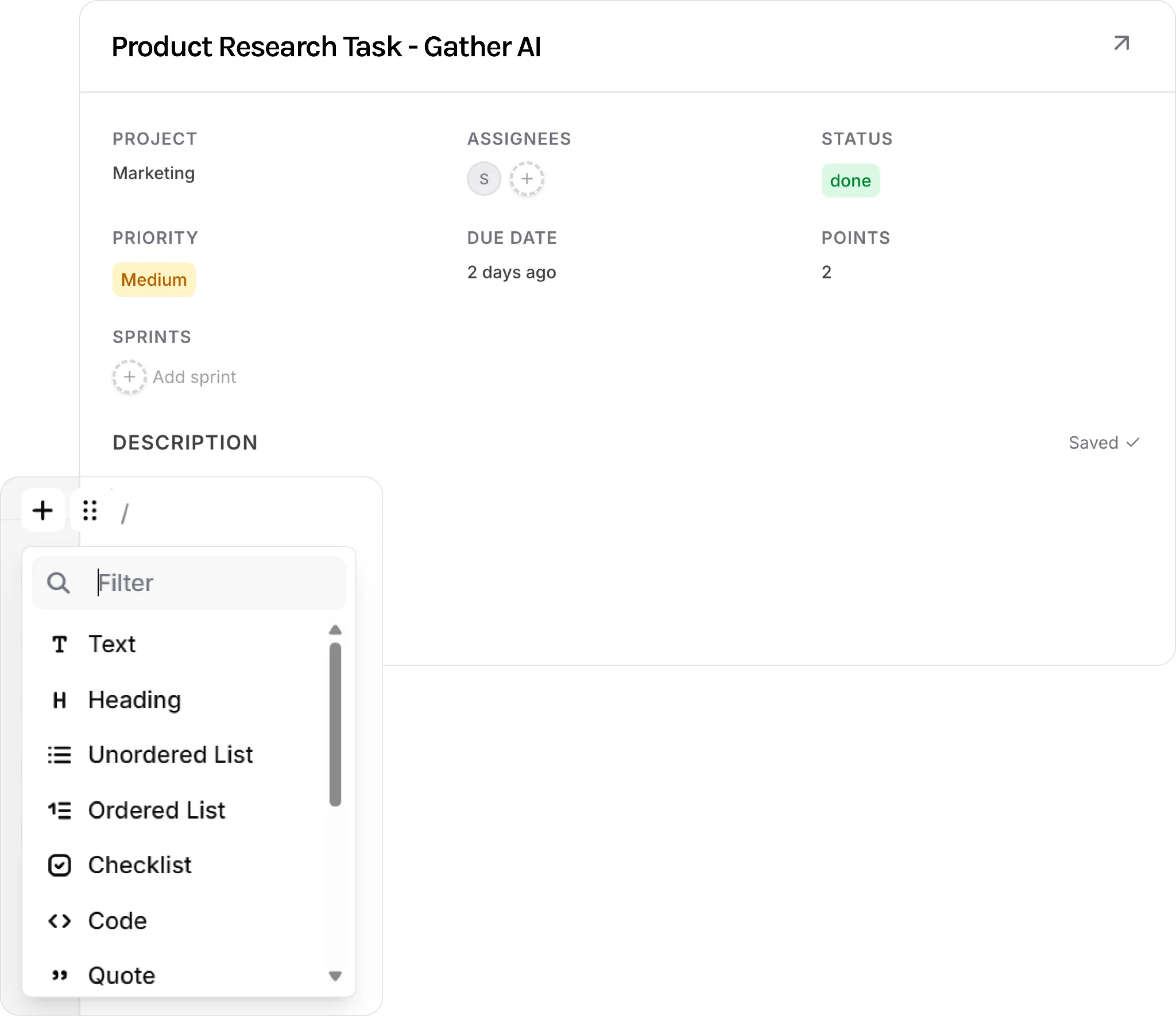
In Gather, that's exactly how it works: every project, meeting, sprint, and task has its own editable details page, not a frozen record.
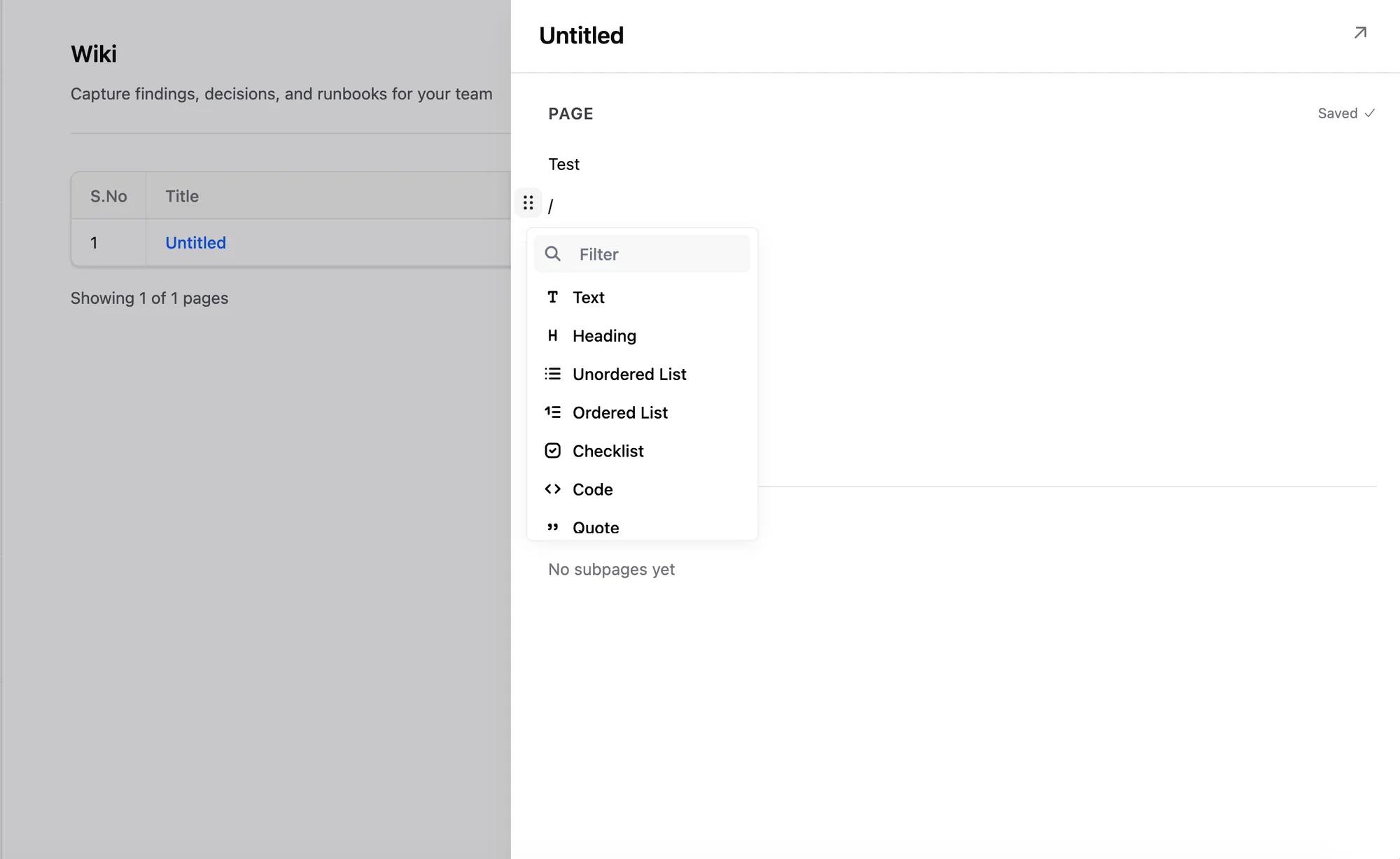
Zuko does the same with its wiki, on the same block editor.
Tying Them Together
Each of the three patterns above is useful on its own. But the real point is how they come together to make a great product. A few scenarios show what that feels like, and where we're taking both products next.
Scenario: User asking for a list
The user starts a chat. The user says: "Give me a list of all the tasks that have been done since January." There could be 200 tasks. It doesn't make sense for the agent to list all these tasks.
What an agent can do is say: "Hey, here are the first five tasks. If you need to get an exhaustive list, please visit this link." Now, the link will take the user to the listing page (the Excel sheets interface) with the filters applied. Now, users can take a look at the list and figure out what to do next.
Scenario: User wants to enhance a task
The user starts a chat, adds the task using the "+" icon. The user says: "Hey, summarize this task for me, and tell me what's missing."
The agent picks up the details page, analyzes the content, and tells the user that the acceptance criteria are missing. The user says: "I want to add testing steps, here are the steps: 1, 2, 3, 4." Now, the agent will update the details page, and give a link to the details page. The user can click on the details page, which will open in a new tab, and see the results.
Scenario: User wants to analyze tasks
The user is on the Excel sheet page. The user is looking at a bunch of tasks, and suddenly wants to look at open tasks from the December 2025 sprint. The user applies the filter and gets a list of tasks, say 20 tasks.
Now, the user wants an agent to analyze these tasks, cross-check them with GitHub commits, and take appropriate action, either escalating or closing them. It doesn't make sense for the user to add all 20 of these tasks to the chat interface using "+". So, on the listing page itself, there will be an icon to AI chat with items in view. This will automatically add those 20 tasks as scope and will start a new chat. The user is taken to the chat interface with context preserved.
There are many more scenarios like these where the three patterns come together. It's still early, and I'm sure these aren't the last three patterns we'll find. If you have thoughts on where this goes next, I'd genuinely love to hear them.